
Keeping legal reviewers in control of AI
I've spent over two years designing for a global legal technology company's new enterprise review platform. AI Review is the largest and most comprehensive feature I've built: bringing an existing AI tool into the platform while the AI engineering team kept adding capabilities. As its sole designer for six months, I turned a moving set of AI features into one connected workflow, from setting up a review to checking the AI's work, and carried it through handoff and visual QA.
Designing for a target that kept moving
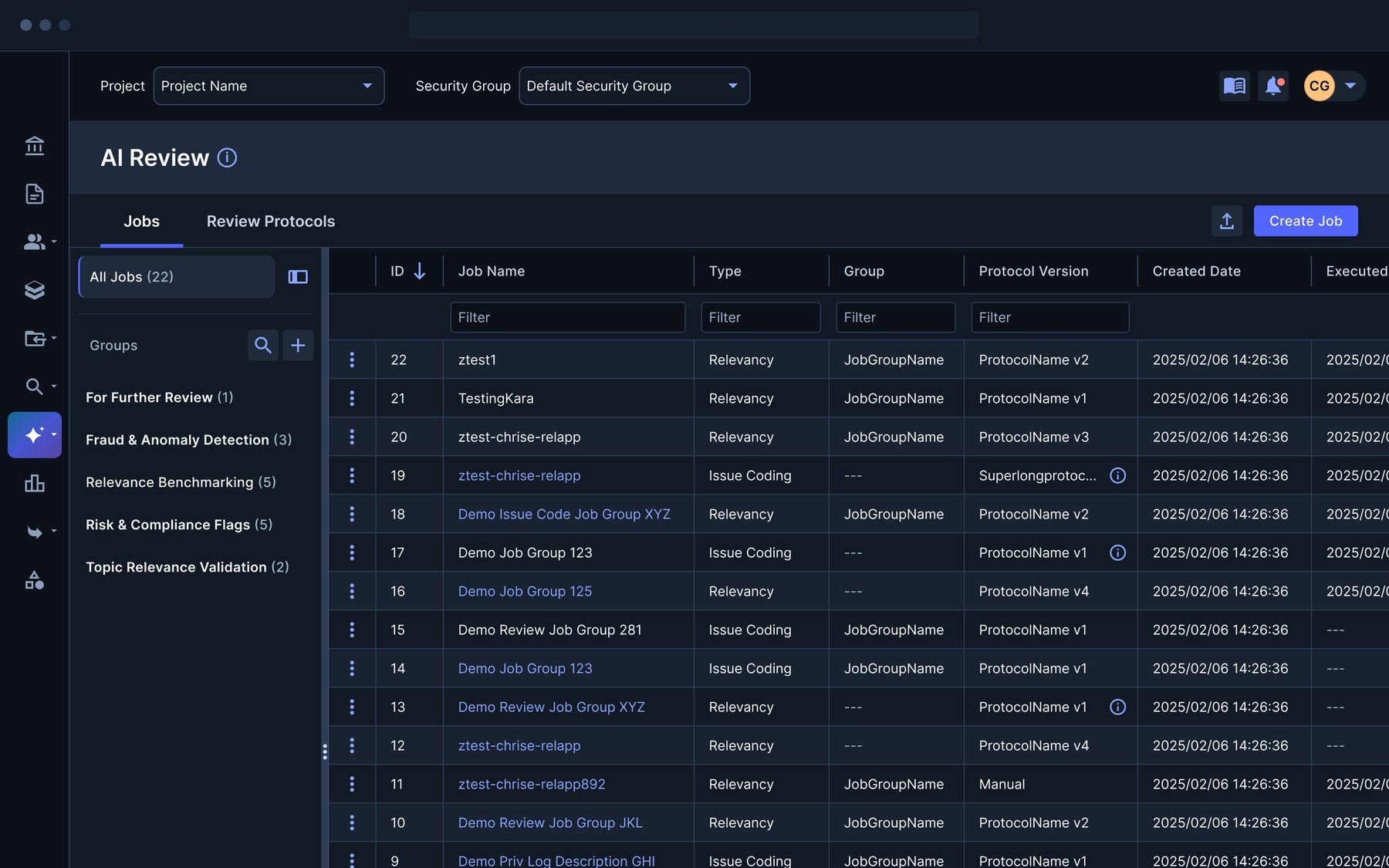
AI Review helps legal reviewers decide which documents are relevant to a case and which case-specific issues they touch. Reviewers give the AI case context and criteria, then examine its determinations alongside explanations and supporting excerpts.
Running the AI was the easy part. Reviewers also had to define guidance, pick document sets, manage jobs, make sense of results and judge how the AI compared with human reviewers. Without a clear thread, that's five tools pretending to be one.
Let the AI draft the guidance, never own it
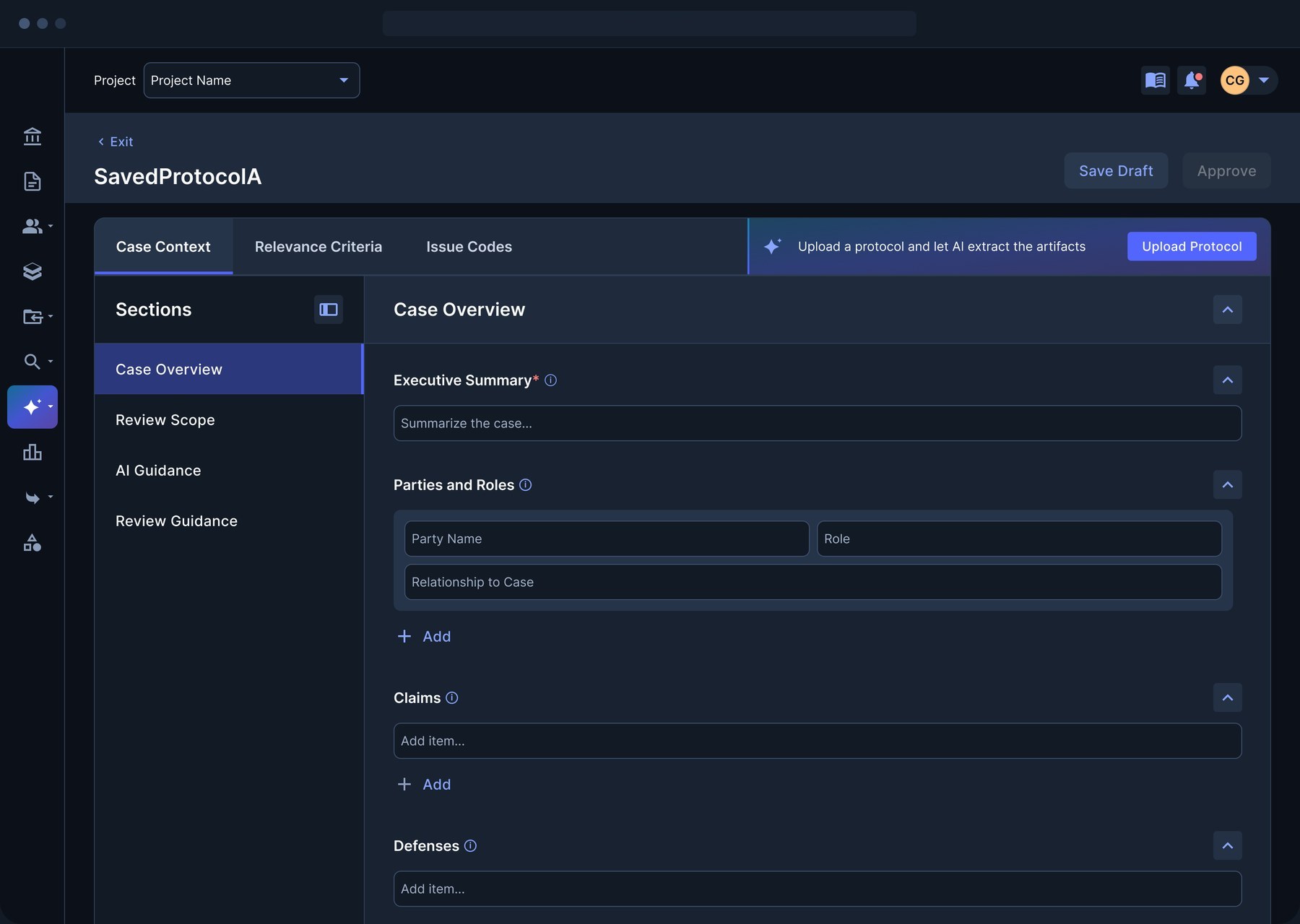
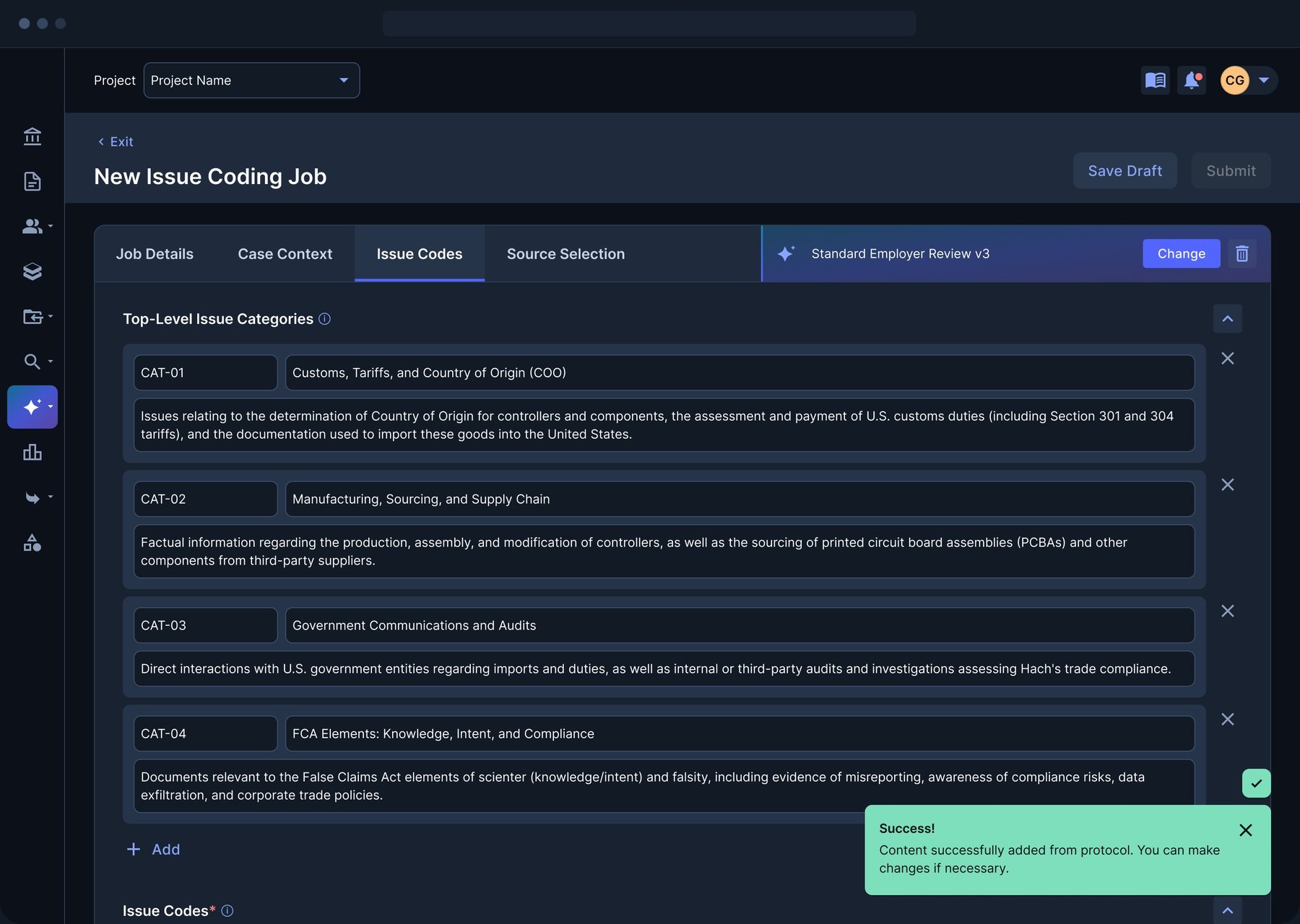
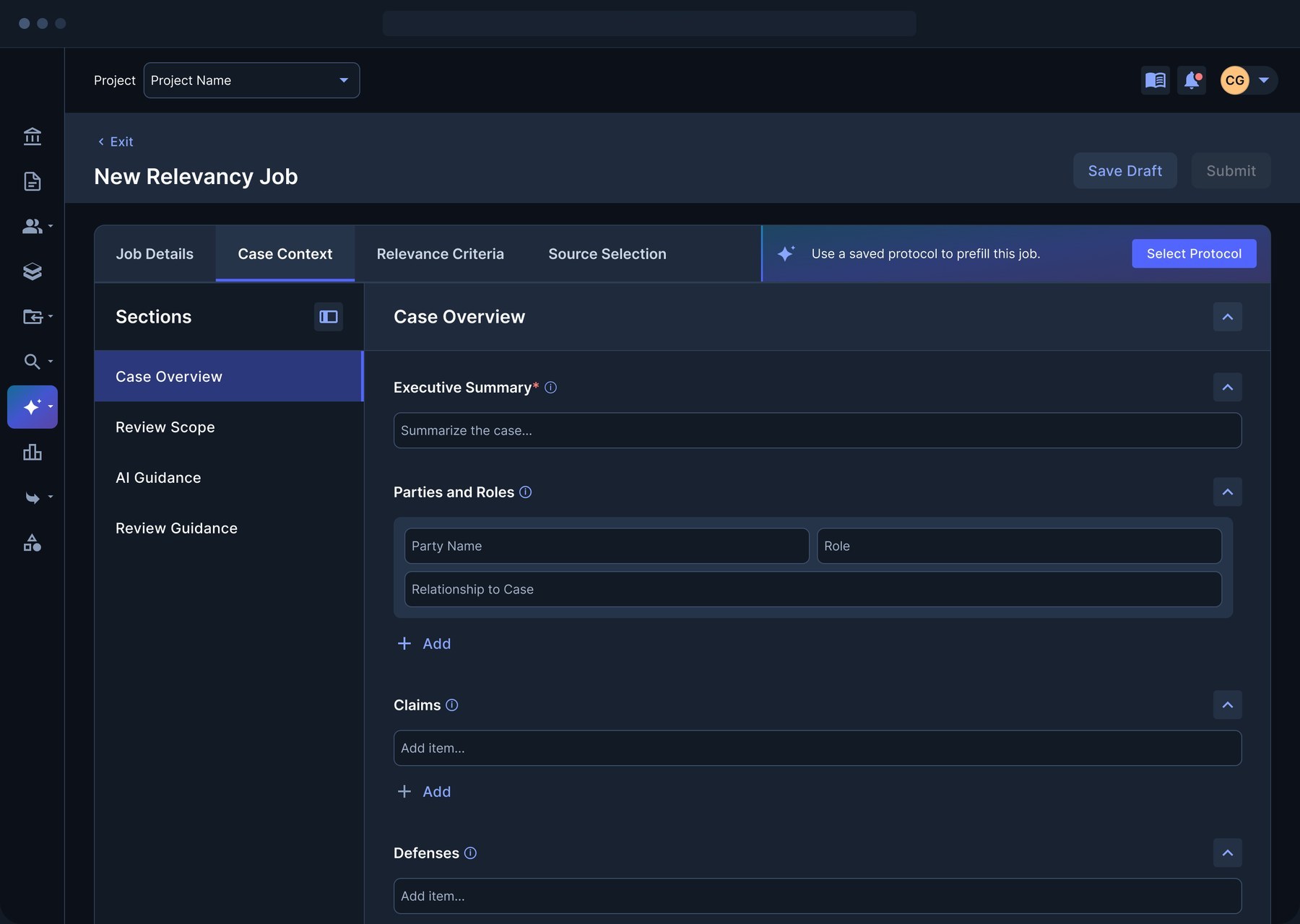
Reviewers can type case context and criteria by hand, start from a saved protocol, or upload a document and let AI extract the guidance. Whatever the AI produces stays fully editable and needs a person's review and approval before any job uses it.
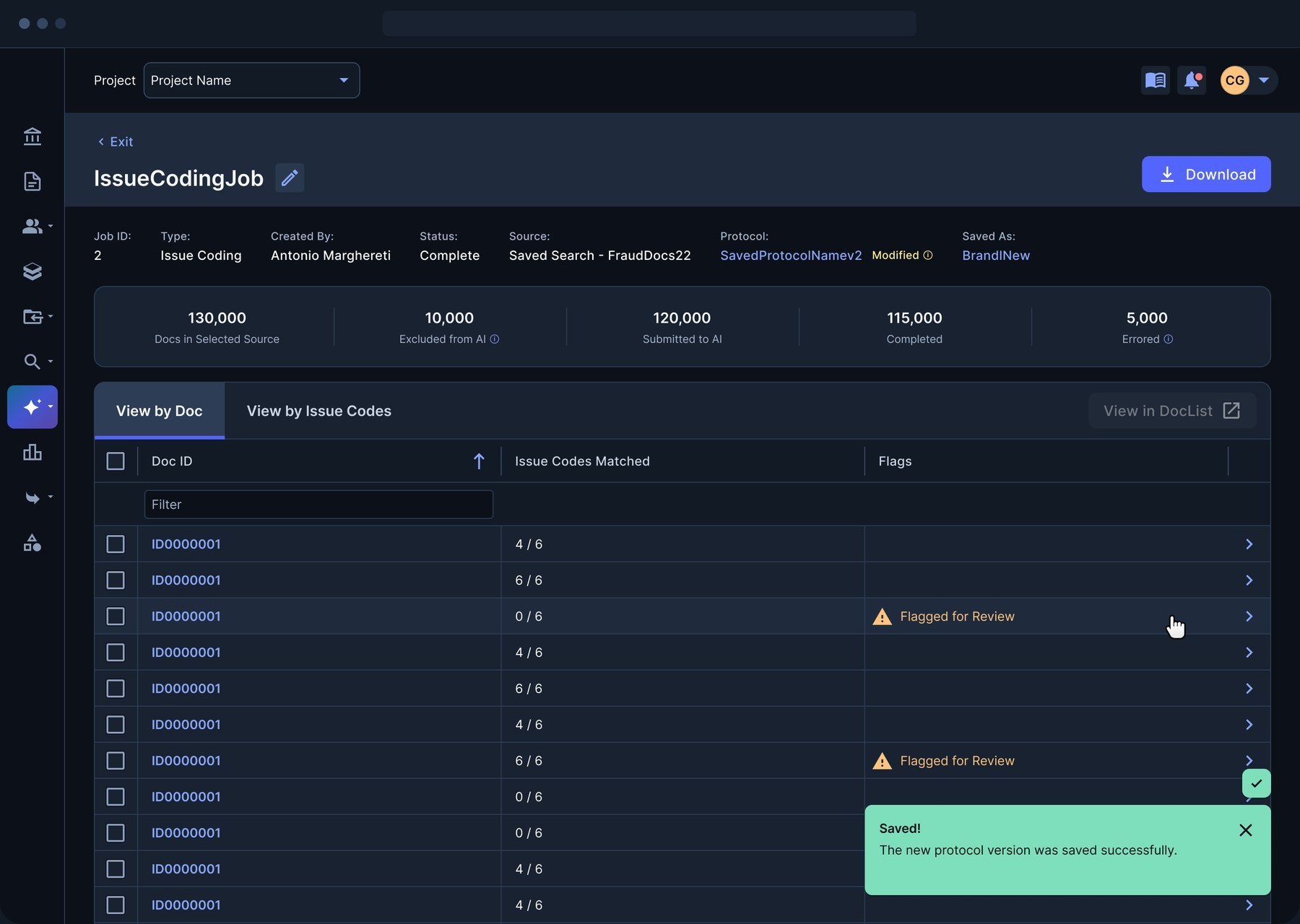
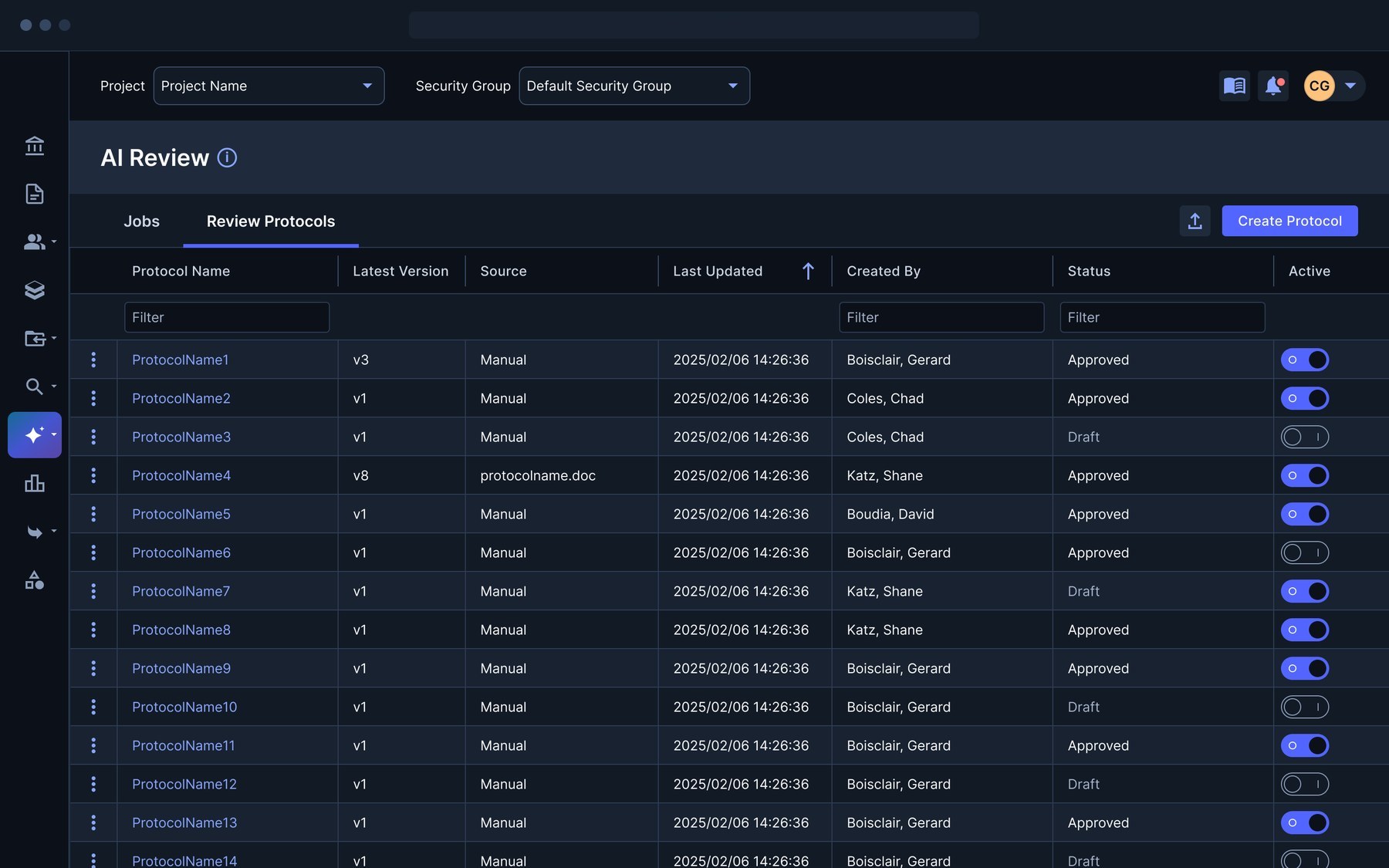
Protocols are versioned, so when someone tweaks guidance during a job, they can save it as a new version without overwriting what other jobs depend on.
Show what was reviewed, and what wasn't
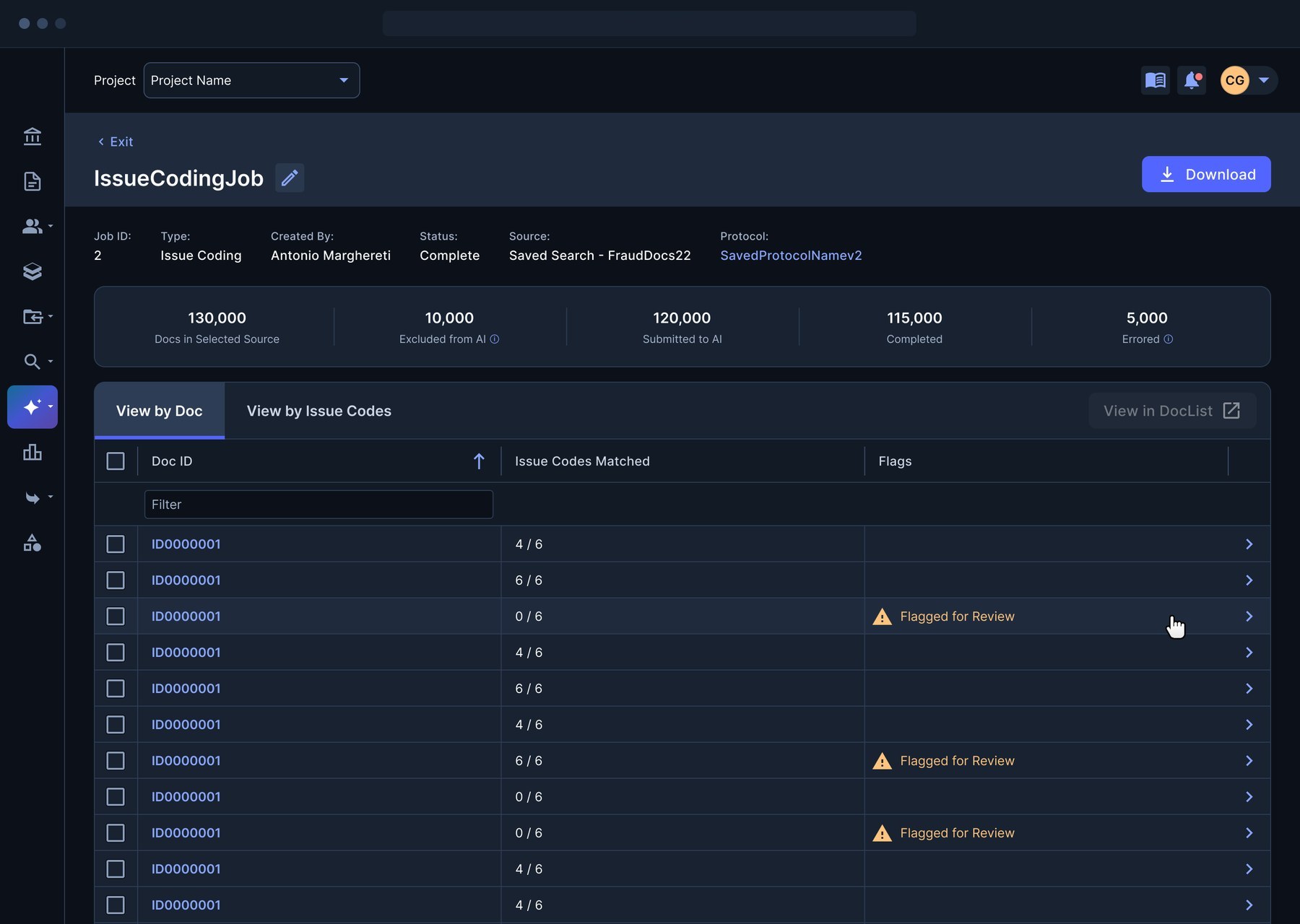
Each determination comes with its reasons and the excerpts behind it, so reviewers can check the AI's logic instead of taking it on faith. A summary bar up top separates documents excluded before analysis from documents that hit errors, so nobody mistakes "not reviewed" for "not relevant."
Small interaction details protect focus: document selections and filters persist when reviewers switch between results and job information.
Test small, then scale
Optionally, reviewers can compare AI results against documents humans have already coded, using measures like precision and recall. That turns setup into a loop: run on a sample, check against people, refine the context and criteria, then apply it to the full document population.
Job groups, drafts and cloning hold that loop together across repeated runs, so reviewers can organize their work and reuse a setup that's proven itself.
One home for jobs and protocols
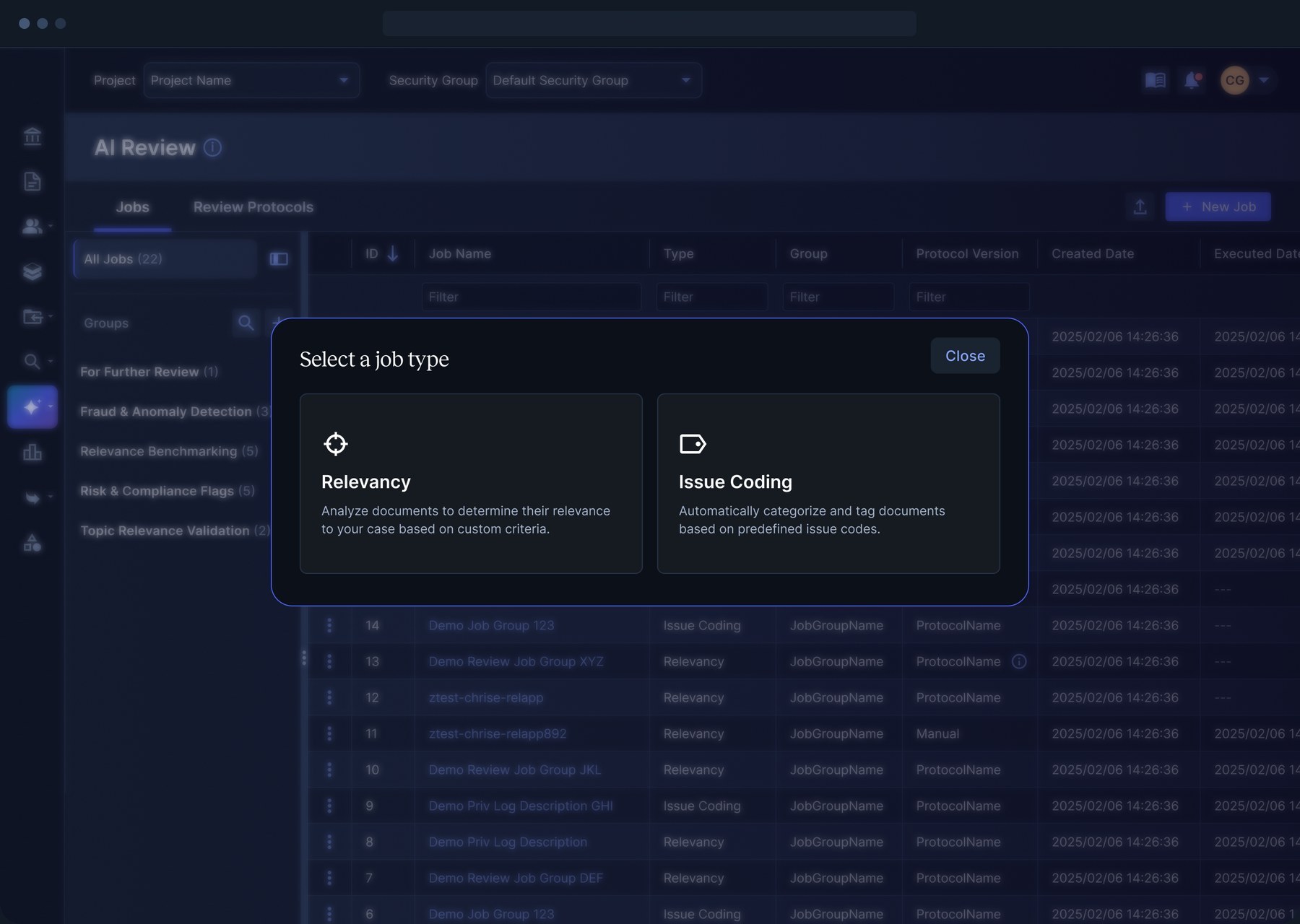
Everything comes together in two tabs: jobs, organized into groups and filterable by type, protocol version and date, and review protocols, with versions, sources, approval status and an on/off switch for each.
The outcome
Expanded AI-assisted relevance assessment and issue coding shipped in the client's new enterprise platform.
Setup, job management, results and evaluation against human coding now connect in a single experience.
As the sole designer, I stayed involved through weeks of implementation questions and visual QA.
Designing for AI means designing for doubt. Every result needed an answer to "why?" and an easy way to check it, because trust is what decides whether reviewers actually use the tool.